Salvage and Reprogram the AR636A Receiver from Eflite Planes with SAFE®

The Plight

Many Eflite foamy planes sold by Horizon Hobby come with SAFE® technology based on AS3X® receivers from Spektrum. While Spektrum’s AS3X receiver can be purchased separately and installed on any planes to give them 3-axis gyro stabilization, Horizon Hobby has coupled the AS3X receiver with most of their Eflite foamy planes, with additional programming, to make their planes more accessible to beginner flyers. The receiver/plane package is known as SAFE®. And the main features of SAFE® include the famed “Panic” button, as well as beginner-friendly receiver-side flight modes.

planeThese SAFE® features annoy veteran flyers to no end, and render most of these fine aircraft useless to experienced flyers, unless the $80 AS3X receiver is replaced with a normal receiver. Take the NIGHT VisionAire that I can’t stop flying, for instance. This is an exceptional 3D plane that delivers great value for the price. But its built-in receiver forces the pilot to choose either the Precision flight mode with intermediate gyro gains and ridiculously low throw rates, or the 3D flight mode with very high gyro gains, and 100% control surface throws. The gyro stabilization can never be turned off.

Perhaps Horizon Hobby can’t fathom why anyone would want to fly their VisionAire with low/zero gyro gains and very high throw rates, or high gyro gains and low throw rates. The end result is that one can never fly the VisionAire at very high speed without the plane swimming in the air like a dolphin. And one can’t have a relaxed cruising experience under strong winds.

Sarcasm aside, I do understand why gyro gains are coupled with expo and throw rates in these receiver-side flight modes. Often beginner pilots have nothing more than the free DX5e that comes with their plane. So Horizon Hobby must make it such that pilots with a dumb radio can still fly these sophisticated planes. Receiver-side flight mode is one way to achieve this goal.

The Seldom-mentioned Solution

AR636A picture IMG_1356 Cropped AdjustedBut it turns out that most of these planes actually come with an extremely capable $80 Spektrum AR636A Sport receiver, and it can be reprogrammed using just a smartphone and a special programming cable. You can change gyro rate gains, as well as heading gains. You can completely turn off AS3X stabilization in any of the three receiver-side flight modes, if you want to fly your plane without gyro stabilization.

The fact is, Horizon Hobby does not go out of its way to advertise that these supposedly locked-down “AR636A Sport” receivers can be reprogrammed without losing SAFE® features. There isn’t a lot of information online talking about repurposing the AR636A receiver, except on rcgroups.com and some YouTube videos, and only if one knows what exactly to look for.

Updated March 2019: I’ve finally spent time understanding the AS3X firmware, SAFE and SRM (Spektrum Receiver Model). I have now written a much longer and more comprehensive article which you may want to visit, in addition to this one. Go to: What on earth is SAFE® or: How I hacked AR636 from V900 to fly the Freewing Mirage 2000, with SAFE and AS3X

Continue reading

Posted in RC Planes | Tagged , , , , , , , | 120 Comments

Learn to Skate the Two-foot Grapevine Analytically

I saw someone skating an amazingly graceful move at the Bryant Park ice rink last Christmas. Until then I wasn’t really interested in ice skating – figure skating wasn’t for me, and hockey looked too violent. But this amazing freestyle move shocked me, and made me buy a pair of ice hockey skates, to started to learn it.

First, I had to find out what this move was called, before I could learn it. And finding it online proved to be nontrivial. First, there was scarcely anything written about it online for one to find using words. Also, nobody bothered to piece together still frames into a stop motion sequence of images, until I did, so Google image search didn’t work very well either. Finally, after sifting through endless ice skating videos on YouTube, I found it. It is called the Grapevine move. And this Grapevine tutorial video shows it in its full glory at the end.

Stop motion picture of Jordan skating the Grapevine stitched from the Hockey Tutorial video

Stop motion picture of Jordan skating the Grapevine stitched from the Hockey Tutorial video

Grapevine is a classic skating move skated exclusively on outside edges, which when done to perfection appears to an onlooker as if the skater had Jackson’s moonwalk power, and could magically propel herself indefinitely in a straight line while constantly turning forward and backward, and with both skates on the ground at all times without showing signs of any efforts to push herself onward.

So I took to the rink and tried to practice the Grapevine based on the tutorial video mentioned above. It turned out that one didn’t simply jump from barely skating forward without falling, to being able to execute the Grapevine. Many other skills of intermediate difficulty had to be learned and practiced, before one could skate a recognizable Grapevine. That great video tutorial gave me a false sense of achievability by breaking the move into seemingly effortless segments. What the author didn’t tell you was that he assumed that the learner was already an accomplished figure skater or hockey player, and just wanted to dabble in some freestyle fun. He took it for granted that no toddler would try to run the 100-meter dash at the Olympics.

I tripped, and I fell as I tried to Grapevine. While brooding over my failure on the bench, I watched others skate. Then I started to imitate how they skated, and I watched hockey tutorials online. Every time I learned a new basic skill, I found I could do a part of the Grapevine slightly better. Eventually I understood what skating was all about: the edge, leaning into the edge, the posture, the balance, and most importantly the use of posture to transfer balance from one foot to the other.

Here is my account of how I (almost) learned to skate a two-foot move such as the Grapevine. I am going to describe the learning process in a new language of moment of balance, falling and recovery, unlike how most tutorials explain the move. Perhaps I can provide fresh ideas on learning this move, on two-foot skating and on skating in general, from the perspective of a newbie. I have watched and re-watched countless number of tutorial videos, and have bought and read great books on ice skating written at the turn of the last century. And in analyzing skating and the Grapevine move for this article, I found that I now understand what I was doing wrong, and perhaps can finally learn to Grapevine gracefully.

Update 2021-09-20: I wrote a follow-up article to this one, for inline skaters: Learn the Two-foot Grapevine on Inline Skates.

Continue reading

Posted in Ice Skating | Tagged , , , , , , | 9 Comments

Ice Skating as a Sequence of Falling and Recovery Steps

I took up skating by accident, after watching someone skate the amazing Grapevine move at the Bryan Park last Christmas. I proceeded to buy a pair of ice hockey skates, and learned to properly skate, so I could eventually do the Grapevine.

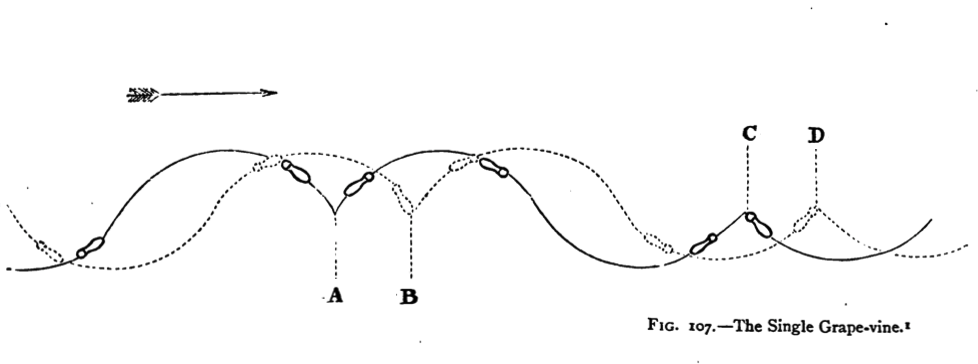
Diagram of the Simple Grapevine. A System of Figure-skating, H. E. Vandervell & H. Cox, 1880

Diagram of the Simple Grapevine. A System of Figure-skating, H. E. Vandervell & H. Cox, 1880

Every time I learned a new basic skill, I found I could do a part of the Grapevine slightly better. Eventually I understood what skating was all about: the edge, leaning into the edge, the posture, the balance, and most importantly the use of posture to transfer balance from one foot to the other.

This article captures the insight I acquired in this process. Perhaps I can provide fresh ideas on learning to skate, from the perspective of a former outsider. The main thesis of this article is that unlike traditional narratives that describes skating moves in terms of strokes, I think skating can be equally and maybe even better explained as a sequence of falling steps and recovery steps.

Continue reading

Posted in Ice Skating | Tagged , , , , , | 6 Comments

(Summary) Flying at Virtual HHAMS Aerodrome in RealFlight and Phoenix RC

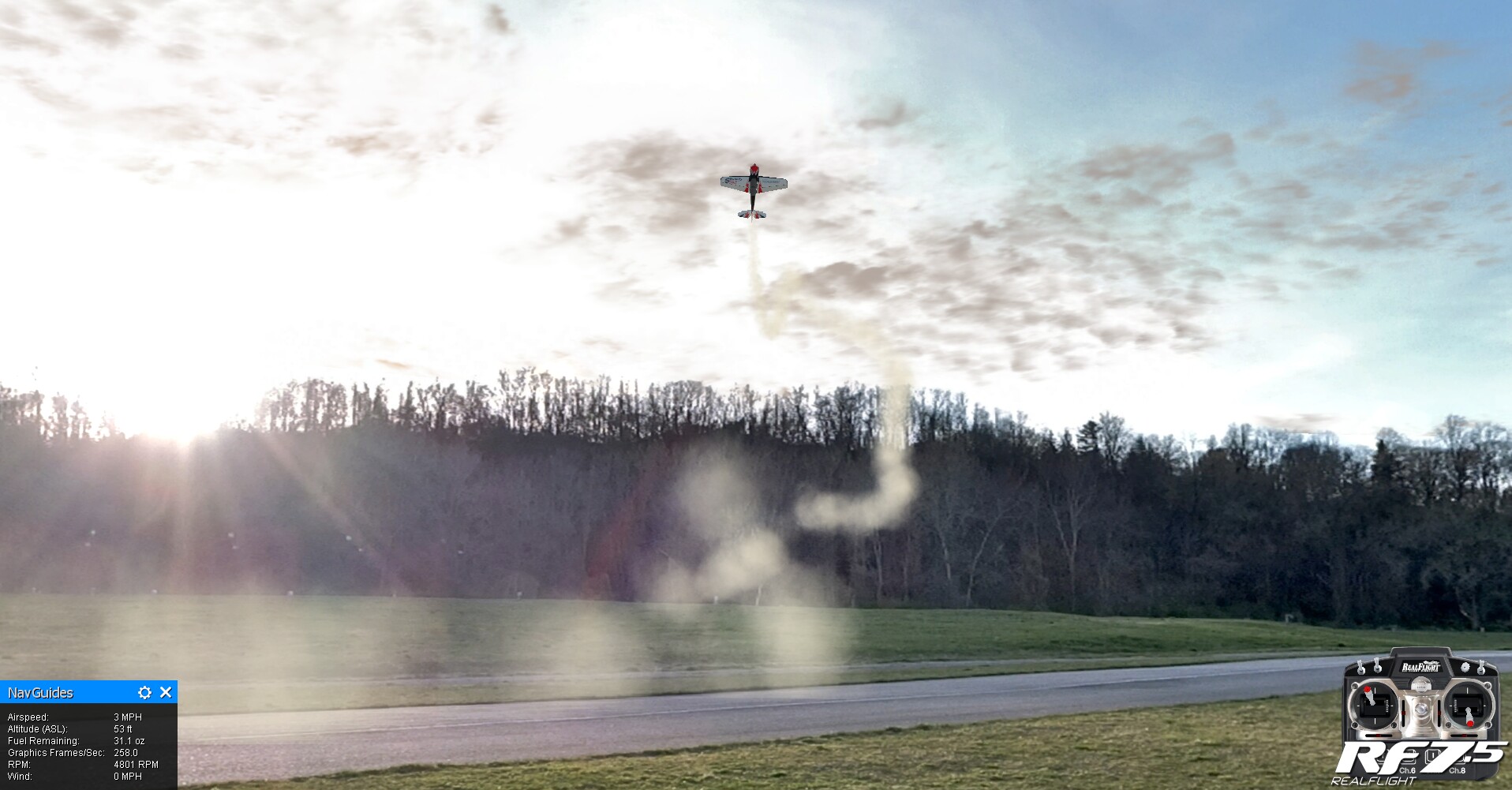
Those of you who train using RC flight simulators may have asked yourselves whether it was possible to create, modeled on the HHAMS Aerodrome, an airfield for RealFlight or a flying site for Phoenix RC. I’d been thinking about this same thing for over two years. At last, I gave it a try a few weeks ago, and the result turned out to be surprisingly usable in both RealFlight and Phoenix, even thought there are still tons of imperfections in these models, due to the amateurish nature of my effort.

Flying at the Aerodrome on a late afternoon, in RealFlight

Flying at the Aerodrome on a late afternoon, in RealFlight

Continue reading

Posted in Flight Simulations, HHAMS | Tagged , , , , , | Leave a comment

(Summary) Corner of the Lost Planes

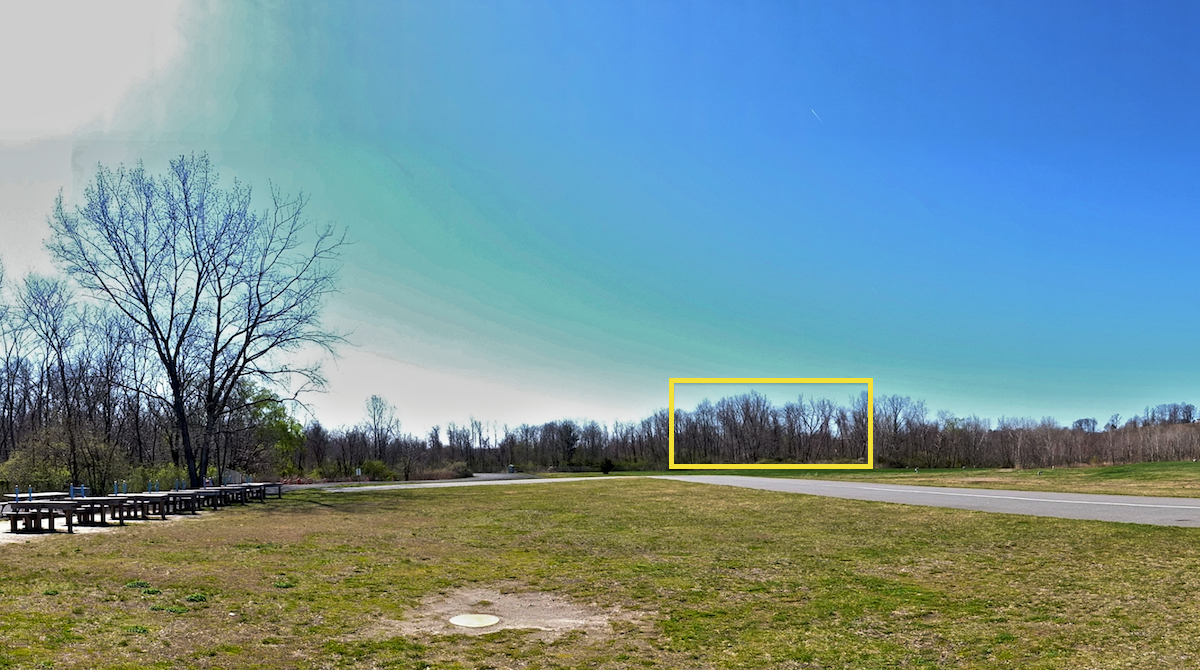
There is a “Corner of the Lost Planes” at the HHAMS Aerodrome. This section of the flying field is just a bunch of tall trees, seemingly indistinguishable from other thousand tall trees that surround the aerodrome. But almost every member recalls running into difficulties flying in this corner, if not losing a plane or two while flying near it. All else being equal, we lose alarmingly greater number of planes to this corner than the rest of the field.

Corner of the Lost Planes in yellow. Greater Corner of the Lost Planes in orange.

Corner of the Lost Planes in yellow. Greater Corner of the Lost Planes in orange.

Continue reading

Posted in HHAMS | Leave a comment

Corner of the Lost Planes at the HHAMS Aerodrome

There is a “Corner of the Lost Planes” at the HHAMS Aerodrome. This section of the flying field is just a bunch of tall trees, seemingly indistinguishable from other thousand tall trees that surround the aerodrome. It is probably safe to say that almost every member had lost a plane or two to this particular Corner of the Lost Planes, before they learned, from the sages of the HHAMS, secret incantations that free them from the curse of this corner.

Coner_of_the_Lost_Planes_Marked

Corner of the Lost Planes

New members would innocently fly a plane straight into these trees, for no apparently reason. Others would inexplicably lose orientation, stall or otherwise become bewildered, when flying in this corner of the field, when they manage perfectly well to fly advance maneuvers elsewhere at the field.

It has been said that, one does not simply attain senior-pilothood without at least ramming one fine aircraft to its demise here. Some have claimed this phenomenon as a rite of passage for novice flyers. Yet others simply chalk it up to our club’s motto: “practice does not make perfect – it makes garbage.”

Continue reading

Posted in Fun, HHAMS | Tagged , , , , , , , , | Leave a comment

Custom Phoenix RC Flying Sites based on the HHAMS Aerodrome

This is a follow-up to the custom airfields I made for RealFlight. This time I modeled the HHAMS (Hempstead Harbor Aero Modelers Society) Aerodrome on Long Island for Phoenix RC. One of the flying sites has been accepted by Phoenix RC as an official flying site. You can simply download it from the simulator itself, or you can manually download it at this page. See the end of this article for more information.

HHAMS Aerodrome in Phoenix RC

HHAMS Aerodrome in Phoenix RC

Manual download Instructions: Each photofield comes in a ZIP file. Just click on it in your browser, and save this zip file. Then unzip it and you’ll find a .PKG file. Launch Phoenix RC, but do not click on the button that starts the simulator. Instead, click on “Advanced”, and then choose “Install an update” to pop up a file chooser dialog. Find the .PKG file and install that. Once this is done, you will find the custom flying site in the airfield chooser in the simulator. If you have trouble installing the file, please see the end of this article for detailed screenshots.

hhams_aerodrome_2016-04-10_10am_phoenixrc-pkg.zip

Continue reading

Posted in Flight Simulations, Fun, HHAMS | Tagged , , , , , , , , | Leave a comment

Custom RealFlight Airfields based on the HHAMS Aerodrome

I had been thinking about modeling real RC flight fields in RealFlight for a year or two. It seemed like an impossible task. But it turned out that with modern cameras capable of taking panoramic pictures, plus a simple photo stitching app, this can be done in a few hours. I am using this page going forward, to post updates as I model the HHAMS Aerodrome on Long Island in different seasons under different weather conditions and times of the day. If, however, Phoenix RC is your poison, head over to Custom Phoenix RC Flying Site instead. And if you live on Long Island, you can buy RealFlight from our LHS (Local Hobby Shop), Willis Hobbies.

Instructions: Each photofield comes in a ZIP file. Just click on it in your browser, and save this zip file. Then unzip it and you’ll find an .RFX file. Launch RealFlight, and use File | Import | RealFlight Archive (RFX, G3X) to load the RFX file. This HHAMS (Hempstead Harbor Aero Modelers Society) photofield should now become part of the list of airports you can choose from the simulator.

April 10th, 2016 at 10AM, with the sun behind the pilot

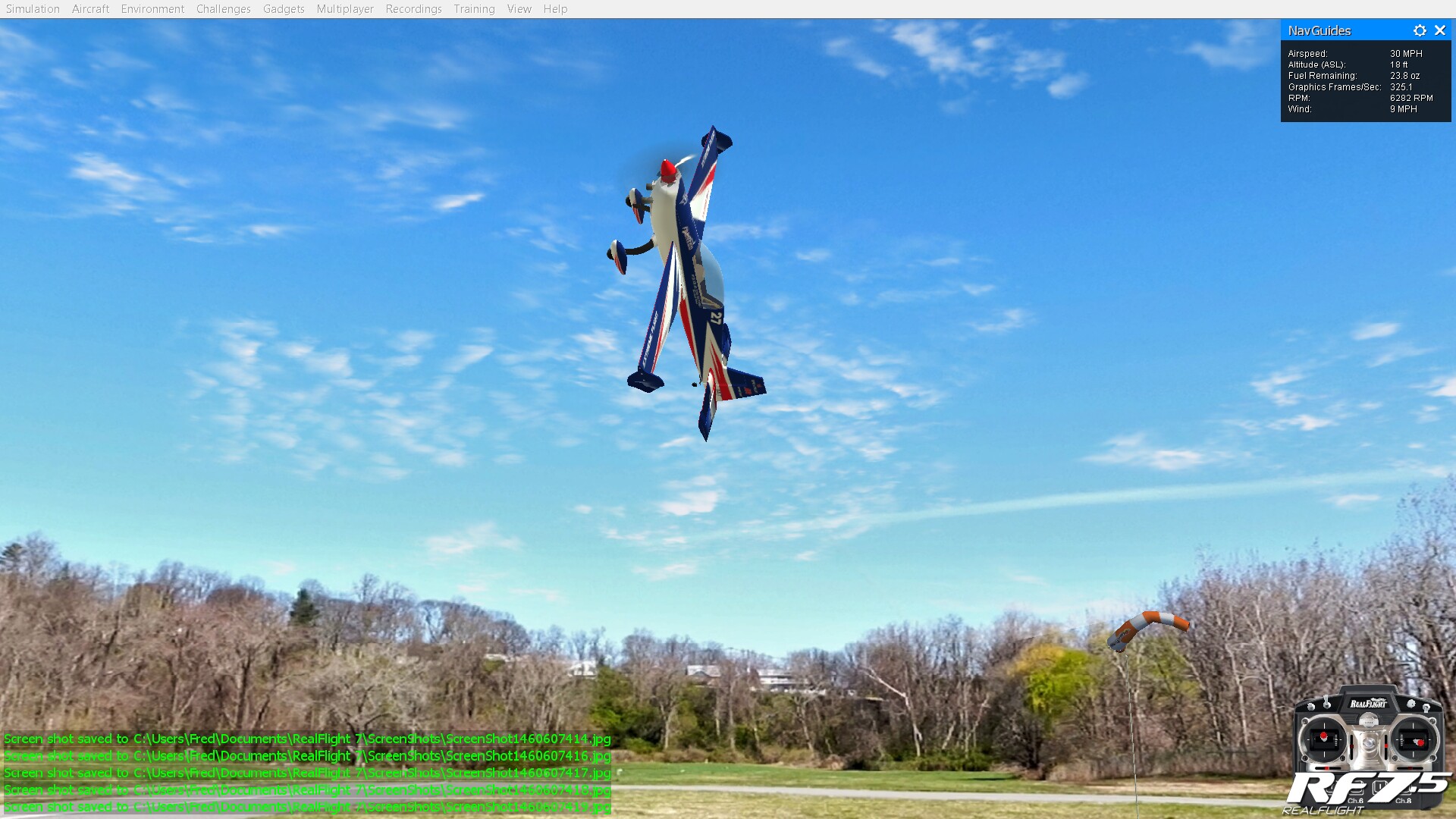
Virtual HHAMS Aerodrome in RealFlight 7.5, 2016-04-10 10AM

Virtual HHAMS Aerodrome in RealFlight 7.5, 2016-04-10 10AM

hhams_2016-04-10_10am_sun_haze_fred_pi-rfx.zip

In this version, the sun is behind the pilot, in the Southeast. The panoramic picture actually captured a cloudless day, with a 7MPH wind plus wind gusts. I set the airfield to simulate the wind, and the sun haze. I also added simulated clouds that move. This airfield sports better stitching work than my first attempt (2016-04-03 3pm). All obstacles including tables, the impound and trees sport more or less realistic collision behavior.

Continue reading

Posted in Flight Simulations, Fun, HHAMS | Tagged , , , , , , , , , | 10 Comments

Doodling on iPad

A few doodles from 2013/2014 didn’t fit the Chinese zodiac animals theme. They can be found here. Most were doodled in Auryn Ink. One was painted using ArtRage on the iPad. One was doodled in Auryn Ink, then imported as background picture for finishing touches in ArtRage.

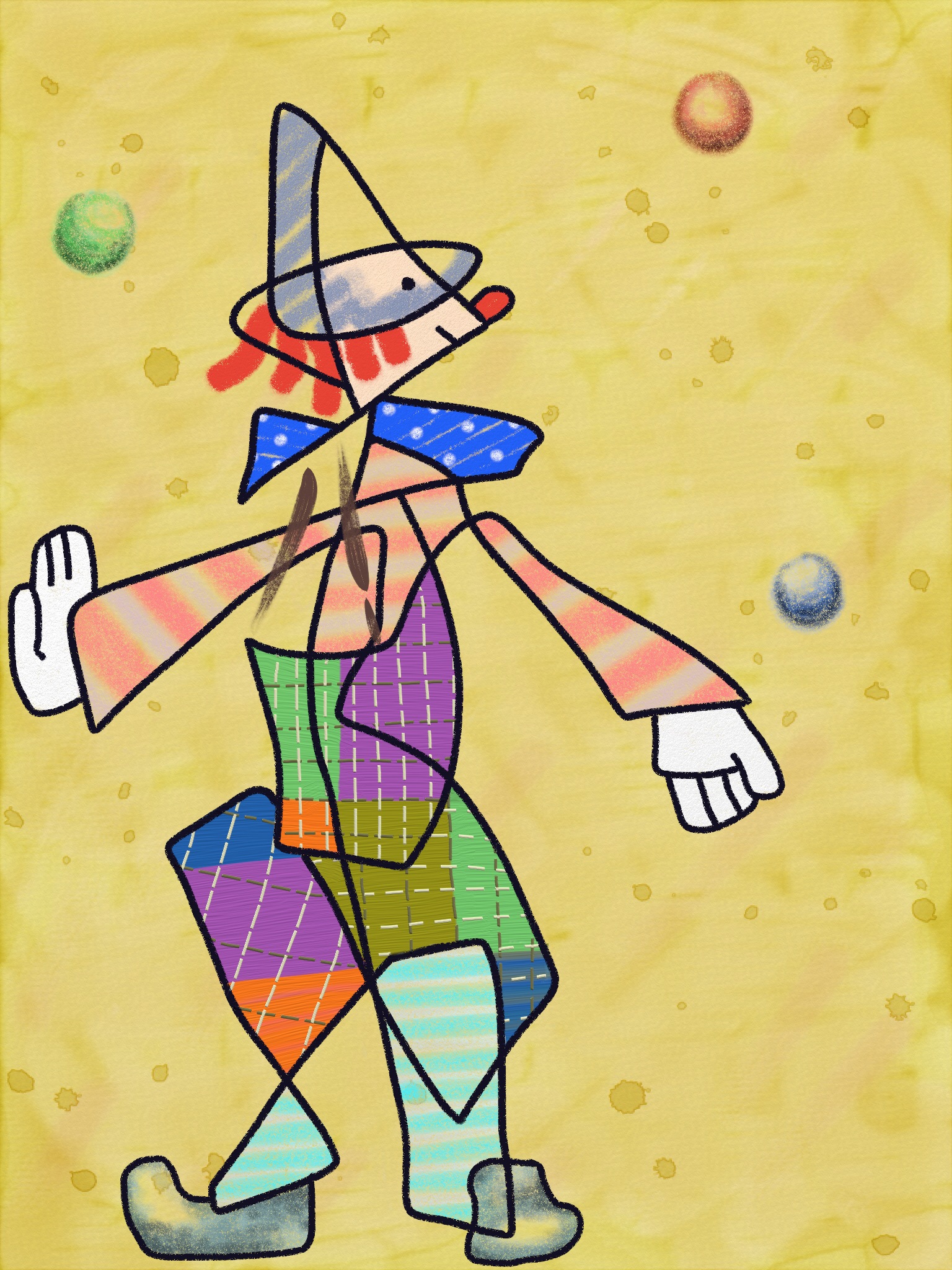
Clown Juggling Balls in Paul Klee Style painted in ArtRage

Clown Juggling Balls in Paul Klee Style painted in ArtRage

The above is a painting in the Paul Klee style modeled on a favorite doll of a certain person.

Continue reading

Posted in Drawings and Paintings | Tagged , , , , , | 2 Comments

Watercolor paintings of Chinese zodiac animals in Auryn Ink

In 2013 I discovered an watercolor painting app called Auryn Ink. It’s a great app for the iPad. It allows near-realistic watercolor paintings on a tablet. It has good simulations of interactions between pigment and water. I’ve painted a few simple zodiac animals with it in 2013 and 2014. Here are some of them, plus a few other paintings.

A doodle in Auryn Ink during dinner to entertain kids.

A doodle in Auryn Ink during dinner to entertain kids.

Continue reading

Posted in Being a Wikipedian, Drawings and Paintings | Tagged , , , | 2 Comments